
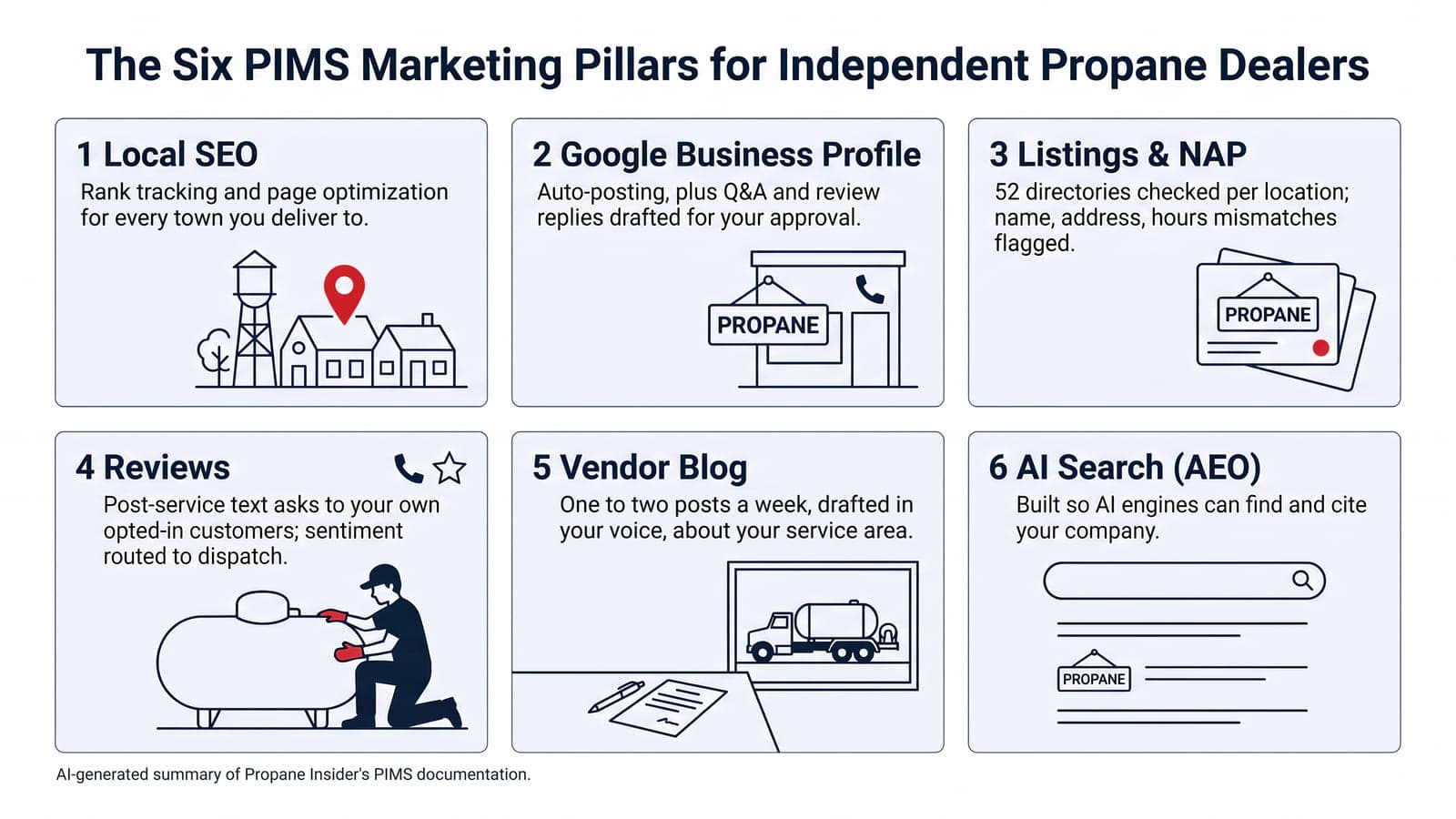
After a completed delivery or service visit, ask for an honest Google review. For text or email, contact only customers who agreed to hear from you and provide an opt-out. Do not select only customers you expect to be happy. Share the review link without offering a discount or asking for five stars. For a bad review, acknowledge the complaint, keep account details private, and invite the customer to call your office to resolve it.
Ask every customer after a real stop
Google’s Maps user-generated content policy says a review should reflect a genuine experience. Merchants may solicit reviews that represent a genuine experience. The policy bars incentives such as “payment, discounts, free goods and/or services.”
That ban covers posting a review, changing one, or removing a negative review. It also bars selectively soliciting positive reviews and bars discouraging negative ones.
After a completed first fill, tank set, service call, or out-of-gas delivery, ask that ticket’s contact. Ask for a genuine experience while the stop is still fresh. Time the ask to that completed stop so the contact still remembers the fill, tank set, or service call.
Use the same plain ask on autofill and will-call accounts alike, and skip a cylinder discount beside the Google ask.
Share Google’s review link or QR code
Google’s Create a Google link or QR code help page says you can share a review link or QR. The page lists receipts, thank-you emails, the end of a chat, and a printed store QR. Review QR codes generate only on a computer browser, not on a phone.
Keep the ask short: thank them for the completed stop and give the Google link. Put that link on the thank-you email and the receipt so the buyer skips a Maps hunt. Print the QR for the counter if walk-in cylinder customers buy fills at the storefront. The prohibited-content rules bar requesting specific content in a review ask.
Leave the star count and the wording to the customer who lived that stop.
Reply to a bad delivery or service review
Google’s Manage customer reviews page says you must verify the business before you can reply. Google reviews your reply for policy. “Replies usually take up to 10 minutes to review, but sometimes a review can take up to 30 days.” An approved reply posts publicly under the customer’s review as the business. Google identifies the reply with your business profile, rather than your personal Google account. A name typed into the reply itself is still public.
The customer gets a notification and can still change the review after they read your reply. The Tips page asks for professional, polite, short replies that stay helpful and conversational. For a hard one-star, name the delivery or service complaint and keep private account facts off the thread. Invite a call or email so the account fix stays private.
Address the reviewer by name and apologize when your office missed the mark. Sign with a CSR or manager name. Be honest about a weather hold that delayed the bobtail when that is the real limit.
A propane-shaped reply names the stop type without dumping private account data. You can say you reviewed the delivery ticket for that address and want to make the next fill right. You cannot paste the customer’s tank size, balance, or phone into the public reply.
Move the fix to a private call. Update the public note once someone on your desk has reached them.
Flag policy violations instead of fighting online
Google’s Report inappropriate reviews page lets you flag any review. Only reviews that violate Google policies are eligible for removal. An honest late-delivery one-star stays on the profile for a public reply and a private fix. Skip the report when dislike is the only issue, because Google does not step into ordinary business-customer conflict.
Use the report path for spam, profanity, or other listed policy breaks. Expect Google’s evaluation to take several days. If Google finds no violation, you get one appeal through the Reviews Management Tool.
Google’s Business Profile restrictions page covers Fake Engagement breaks. Those breaks can pause new reviews, unpublish existing ones, or show a consumer warning. Google may also remove the violative reviews and email the owner when a restriction is coming. Treat Fake Engagement hits as a profile ops risk.
Match the ask to a system your office will run
FuelSite’s pricing page describes online review asks by email and reply drafts for your sign-off before publication. Confirm the included channels and setup for your account, send only to customers who agreed to hear from you, and provide an opt-out. Do not select only customers you expect to leave a positive review.
When evaluating PIMS for review follow-up, confirm which request channels are included and connected for your account, what consent is required, and who approves reply drafts before publication. Agree how completed delivery or service tickets enter the workflow; do not assume a subscription activates those connections.
Copy the review link from your verified Business Profile. Use it in a post-service thank-you email only where the customer agreed to hear from you, with an opt-out.
Common questions about propane Google reviews
Can a propane company offer a discount for a five-star Google review?
No. Do not offer a discount, gift or other incentive for a review, and do not ask for five stars.
How should we answer a one-star review about a late propane delivery?
Acknowledge the late delivery, keep account details private and invite a call to your office. Agree who approves the reply before publication.
Should we report every negative Google review for removal?
No. Only policy violations such as spam, profanity, or fake engagement qualify for removal, so report those and answer honest complaints with a public reply plus a private fix. Use the Reviews Management Tool to check the status of open flags.
For the broader review workflow, read how a propane company gets more Google reviews.
Sources
- Google Business Profile Help, Tips to get more reviews (undated page; read 2026-09-27)
- Google Business Profile Help, Manage customer reviews (undated page; read 2026-09-27)
- Google Business Profile Help, Create a Google link or QR code to request reviews (undated page; read 2026-09-27)
- Google Business Profile Help, Report inappropriate reviews on your Business Profile (undated page; read 2026-09-27)
- Google Business Profile Help, Business Profile restrictions for policy violations (undated page; read 2026-09-27)
- Google Maps User Generated Content Policy, Prohibited & restricted content (undated page; read 2026-09-27)
- Google Maps User Generated Content Policy, Incentivized or Biased Reviews (undated page; read 2026-09-27)
- FuelSite.pro, Fuel Company Website and App Pricing (undated page; read 2026-09-27)
- Propane Insider, PIMS product overview (undated page; read 2026-09-27)
- Propane Insider, FuelSite.pro product overview (undated page; read 2026-09-27)
- Propane Insider, Propane Industry News (home) (undated page; read 2026-09-27)
Propane Insider is published by the makers of Tank Spotter, Custom Fuel App, Blink Fuel, PIMS and Propane Safety Pro; some links go to our products or advertisers.
Last reviewed: October 2026